
Getting your photo right is one of the most important steps when applying for a Singapore visa. The Immigration and Checkpoints Authority (ICA) has strict rules that follow international standards. A wrong photo can delay your application or get it rejected completely. This guide shows you exactly what your Singapore visa photo needs to look like.
Key Takeaways
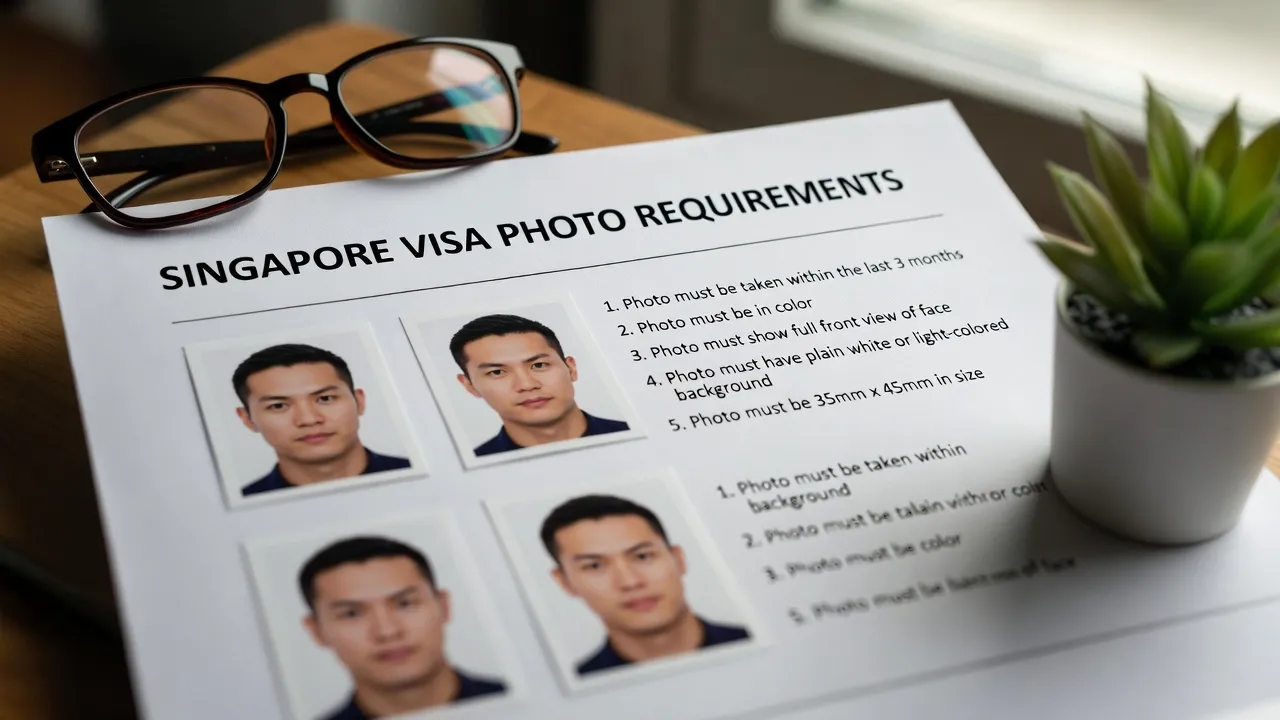
- Photo size must be 35mm wide by 45mm high for printed photos.
- Digital photos need dimensions of 400 x 514 pixels.
- Background must be plain white with no patterns or objects.
- Your face should cover 70% to 80% of the photo frame.
- Photo must be taken within the last 3 months.
- No glasses allowed, even if you wear them daily.
- Accepted file formats: JPG, JPEG, HEIC, HEIF, PNG with a maximum size of 8MB.
Official Singapore Visa Photo Specifications
ICA sets photo requirements based on ISO and ICAO standards. Here are the exact specifications you must follow.
Printed Photo Requirements
| Specification | Requirement |
|---|---|
| Width | 35mm |
| Height | 45mm |
| Face size | 70% to 80% of the frame |
| Head height | 25mm to 35mm from chin to crown |
| Paper finish | Matte or semi‑matte (non‑reflective) |
| Resolution | At least 400 DPI |
Digital Photo Requirements
| Specification | Requirement |
|---|---|
| Dimensions | 400 x 514 pixels |
| File formats | JPG, JPEG, HEIC, HEIF, PNG |
| Maximum file size | 8MB |
| Alternative size | Some e‑forms may require ≤ 60KB |
Important: The photo must be a new colour photograph submitted with each new application. Do not reuse old photos.
Background Requirements
Background rules are strict and a common reason for rejection.
Must be:
- Plain white color.
- Completely featureless, with no objects.
- Free from any shadows.
Avoid:
- Colored or gray backgrounds.
- Textured walls or visible lines.
- Shadows on the background.
- Furniture or objects in frame.
- Any kind of border around the photo.
Even a thin border added by software can cause rejection. The image should fill the frame edge‑to‑edge.
Face Position and Expression
Your face must be correctly positioned and your expression neutral.

Positioning Guidelines
- Face the camera directly (full frontal view).
- Keep your head straight (no tilting).
- Center your face in the middle of the frame.
- Both ears should be visible if possible.
- Show your neck and upper shoulders.
Expression Rules
- Maintain a neutral expression.
- Do not smile or frown.
- Mouth closed.
- Eyes open and clearly visible.
- Look directly at the camera lens.
What You Can and Cannot Wear
Your clothing and accessories strongly affect whether your photo is accepted.
Clothing
- Wear normal, everyday clothes.
- Choose colours that contrast with the white background.
- Avoid white or very light tops that blend into the background.
Glasses
Glasses are not allowed in Singapore visa photos:
- No prescription glasses.
- No reading glasses.
- No tinted glasses or sunglasses.
Always remove glasses, even if you wear them daily.
Head Coverings
| Item | Allowed? | Conditions |
|---|---|---|
| Religious headwear | Yes | Face fully visible, no shadows on features |
| Hats or caps | No | Never allowed |
| Non‑religious scarves | No | Not permitted |
| Medical head coverings | Yes | Usually with supporting medical documentation |
For religious coverings, you may be asked for a letter from a religious leader confirming it is part of your daily practice.
How to Take Your Photo at Home
You can take an acceptable Singapore visa photo using a smartphone. ICA allows mobile photos as long as all guidelines are met.
Recommended Apps
ICA suggests searching for these keywords in app stores:
- “Singapore Passport”
- “Singapore IC”
- “Photo”
Commonly used apps include:
- IC Photo Singapore
- Passport Size Photo Maker
- Passport Photo ID Maker Studio
These are not officially endorsed but are mentioned based on user feedback.
Step‑by‑Step Home Photo Guide
Step 1: Set up your background
- Find a plain white wall without texture.
- Stand about 4–6 feet away from the wall.
- Ensure no objects are visible behind you.
Step 2: Arrange lighting
- Use natural daylight from a window if possible.
- Face the light source directly.
- Avoid harsh shadows on your face or background.
- Avoid strong overhead lighting.
Step 3: Position the camera
- Have someone else take your photo (no selfies).
- Position the camera at eye level.
- Keep the camera steady; use a tripod if available.
Step 4: Take multiple shots
- Take several photos to choose from.
- Check all images for shadows, blur, and correct framing.
- Make sure your eyes are open and expression is neutral.
Common Mistakes That Cause Rejection
Many applications fail because of simple, avoidable errors.
Technical Errors
- Wrong printed size (not 35 x 45mm).
- Wrong pixel size for digital uploads.
- File size larger than 8MB.
- Unsupported file format.
- Low resolution, resulting in blur or pixelation.
Composition Errors
- Borders or frames around the photo.
- Face not centered.
- Face too small (less than 70% of the image).
- Head tilted or turned.
- Eyes closed or looking away.
Background & Lighting Errors
- Shadows on face.
- Shadows on background from standing too close.
- Non‑white or off‑white background.
- Visible patterns or textures on the wall.
- Overexposed (too bright) or underexposed (too dark).

Accessory Errors
- Wearing any type of glasses.
- Non‑religious hats, caps, or fashion headwear.
- Hair covering eyes or large accessories blocking the face.
Special Cases and Exceptions
Infants and Babies
Photos of infants must still meet the rules:
- Baby’s eyes should be open if possible.
- No visible hands or adults holding the baby.
- Face fully visible.
- White background required.
- Neutral expression (no obvious crying or laughing).
Elderly Applicants
Some flexibility may be given for age‑related physical limitations, especially with supporting medical documentation. When in doubt, contact ICA for guidance.
Family Visa Applications
- Each family member must have their own individual photo.
- All photos should have consistent white background and similar lighting.
- Do not submit group or combined photos.
Uploading Your Photo Online
When using ICA’s e‑Services portal:
- Ensure the photo is in an accepted format (JPG, JPEG, HEIC, HEIF, PNG).
- Confirm the file size is ≤ 8MB.
- Ensure the dimensions are 400 x 514 pixels.
- Upload through the official ICA website only.
- Check the preview to verify your face is clear and centered.
The system may automatically reject non‑compliant photos, so have at least one backup ready.
Photo Editing Rules
Singapore has strict rules on digital photo editing.
Not allowed:
- Changing or reshaping facial features.
- Using beautify filters or heavy retouching.
- Smoothing skin or removing blemishes.
- Changing eye colour or skin tone.
- Any enhancement that alters your natural appearance.
Allowed:
- Cropping to the correct size.
- Adjusting brightness/contrast slightly for proper exposure.
- Resizing to required pixel dimensions.
- Converting between accepted file formats.
Your photo must show your real, natural appearance.
Tips for Getting Your Photo Approved
Before taking the photo:
- Clean your camera lens.
- Test lighting and adjust your position if needed.
- Remove all glasses and non‑religious headwear.
- Comb hair away from your face.
- Wear darker clothing to stand out against the white background.
During the photo:
- Look directly into the lens.
- Keep a relaxed, neutral expression.
- Keep your shoulders straight and level.
- Stay still while the photo is taken.
After the photo:
- View the image at full size to check for blur and shadows.
- Confirm the background is uniformly white.
- Check that your face is centered and fills most of the frame.
- Ensure both ears and all facial features are visible.
Where to Get Professional Photos
If taking your own photo is difficult, consider:
- Photo studios that specialise in passport/visa photos.
- Pharmacies or retail chains offering photo services.
- Visa application centers.
- Professional photography shops.
Tell them you specifically need Singapore visa photo specifications (35mm x 45mm, white background, no glasses).
Frequently Asked Questions
What size should my Singapore visa photo be?Printed photos must be 35mm wide by 45mm high. Digital uploads must be 400 x 514 pixels.
Can I wear glasses in my Singapore visa photo?No. All types of glasses must be removed, even if you wear them daily.
Can I take my Singapore visa photo with a smartphone?Yes, as long as the photo meets all ICA guidelines. Do not take a selfie; ask someone else to take the photo.
What background colour is required?The background must be plain white. Off‑white, gray, or coloured backgrounds are not accepted.
How recent must my photo be?It must be taken within the last 3 months before your application.
What file formats are accepted online?ICA accepts JPG, JPEG, HEIC, HEIF, and PNG formats up to 8MB in size.
Helpful Resources (official):
- ICA Official Photo Guidelines: https://www.ica.gov.sg/photo-guidelines
- Singapore MFA Visa Information: https://www.mfa.gov.sg
- ICA e‑Services Portal: https://www.ica.gov.sg
Take your time to get your photo right. A compliant photo means smoother processing and fewer delays in your Singapore visa application.
Related Articles
- DV Lottery from Ghana: 2026 Status, Rules & Scams
- UK Visa from Nigeria: 2026 Fees, Rules & Process
- China Visa-Free Entry 2026: Full 50-Country List & Rules
Official sources to check before you apply or travel
- GOV.UK foreign travel advice (entry requirements by country)
- Government of Canada travel advice and advisories
Visa rules, fees, processing times and entry requirements change often. Always confirm the current requirements on the official government website, or with the embassy or consulate, before you apply, pay or travel. One Visa Center is an independent information site, not a law firm or government agency, and this article is not legal advice. Read how we research, fact-check and use AI tools in our Editorial Policy.
Get visa, passport, and travel-planning guides like this one sent straight to your inbox — plus first access to new country guides and scholarship roundups.