
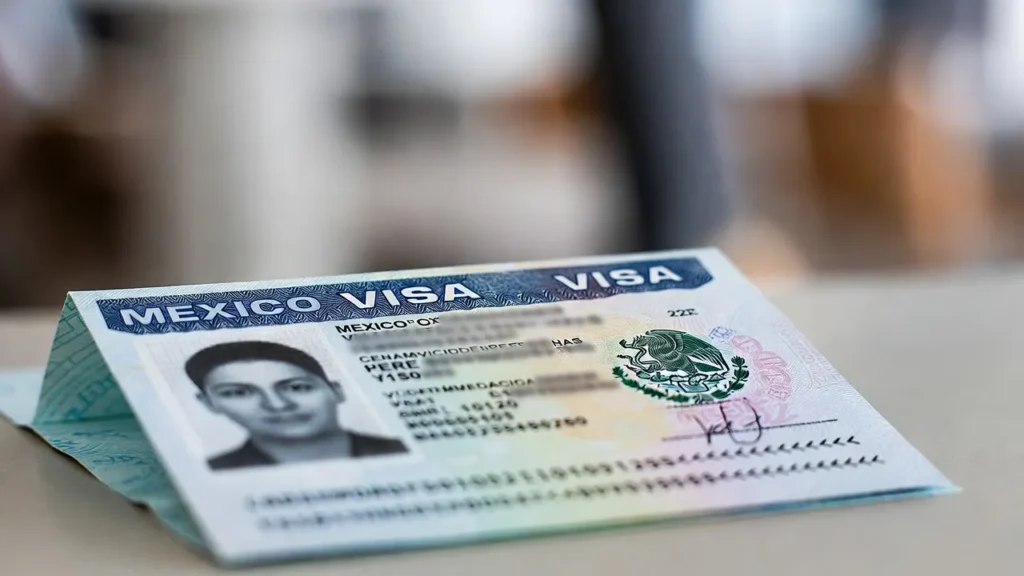
Getting your Mexican visa photo right is crucial. The standard Mexico visa photo size is 35mm x 45mm (3.5cm x 4.5cm) with a plain, light background. A photo that does not meet the official specifications can delay or even cause rejection of your visa application.
This guide covers all the key details you need, from exact dimensions to common mistakes that lead to rejection.
Key Takeaways
- Photo size must be 35mm x 45mm (3.5cm x 4.5cm).
- Background must be plain white or light gray.
- Face should occupy 70–80% of the photo.
- Head height from chin to top should be 25mm to 35mm.
- Photo must be taken within the last 6 months.
- No glasses, hats, or accessories that cover the face.
- Digital photos should be JPEG/JPG/PNG at minimum 300 DPI.
Mexico Visa Photo Size Requirements
Exact dimensions are critical for acceptance:
| Specification | Requirement |
|---|---|
| Photo size | 35mm x 45mm (3.5cm x 4.5cm) |
| Head height | 25mm–35mm (chin to top of head) |
| Face coverage | 70–80% of total photo area |
| Top margin | About 3mm from top of hair to edge |
Important: Some consulates use slightly different measurements (for example, up to about 39mm x 31mm). Always check your specific consulate’s instructions before submitting.
Understanding the Measurements
Your face must be centered in the photo:
- Full face visible from the top of the head (including hair) to below the chin.
- Both ears visible; avoid hairstyles that cover the ears.
- Eyes roughly in the vertical middle of the image.
- The top of your shoulders visible at the bottom of the photo.
Background Requirements
The background is as important as your pose:
Acceptable backgrounds
- Plain white (most common).
- Light gray or off‑white (where allowed).
Not acceptable
- Patterns, textures, tiles, curtains, or designs.
- Strong colors (dark, bright, or multicolored).
- Backgrounds with shadows, objects, or other people.
Your face must stand out clearly; any shadows or patterns can trigger rejection.
Digital Photo Specifications
For online or electronic submissions, follow these technical standards:
| Digital Spec | Requirement |
|---|---|
| File format | JPEG, JPG, or PNG |
| Minimum resolution | 300 DPI (some consulates accept 200 DPI) |
| Maximum file size | Typically up to about 240 KB |
| Color | Full color (24‑bit), not black and white |
Quality standards
Your digital photo must be:
- Sharp and in focus (no blur or pixelation).
- Evenly lit (no overexposure or heavy shadows).
- Free from red‑eye and glare.
- Not digitally altered (no filters, retouching, or “beauty” effects).
Do not change your eye color, skin texture, or facial shape with software.
Printed Photo Requirements
If you must submit physical photos:
- Print on high‑quality photo paper.
- Matte or glossy finish is generally acceptable.
- No creases, folds, scratches, or smudges.
- No staple marks or clips touching the photo area.
- Most consulates require 3 printed copies (some may ask for 4).
Facial Expression and Pose
Your pose must meet strict biometric standards:
Correct pose
- Face the camera directly (full frontal view).
- Head straight, not tilted or turned.
- Eyes open, clearly visible, looking at the lens.
- Mouth closed.
- Neutral expression (no big smiles, frowns, or exaggerated expressions).
Avoid
- Smiling with teeth visible.
- Raising eyebrows or squinting.
- Turning the head sideways.
- Looking away from the camera.
Clothing and Accessories Rules
Glasses
- Generally not allowed.
- Remove glasses for your photo.
- Medical exceptions are rare; if permitted, lenses must be clear and show no glare or reflections, and the eyes must be fully visible.
Headwear
- Not allowed for fashion or style.
- Religious head coverings may be permitted but must not obscure facial features (eyebrows, eyes, nose, mouth, chin).
- No hats, caps, headbands, or large hair accessories that cover the face.
Clothing
- Wear normal street clothing.
- Avoid uniforms unless required for religious or medical reasons.
- Avoid white or very light tops that may blend into the background.
- Do not wear headphones, earbuds, Bluetooth devices, or similar items.
Lighting Requirements
Good lighting is essential for an acceptable photo:
What you want
- Even lighting across your face.
- No harsh shadows on your face or behind you.
- No glare or shiny hotspots on skin or forehead.
- Natural‑looking skin tones.
What to avoid
- Strong overhead lights creating shadows under eyes or nose.
- Side lighting that illuminates one side of the face more than the other.
- Camera flash that causes red‑eye or washed‑out features.
- Bright backlighting that turns your face dark.
Common Mistakes That Cause Rejection
These are the most frequent reasons Mexican visa photos are rejected:
Size and framing
- Photo is not exactly 35mm x 45mm.
- Face too small or too large in the frame.
- Head not centered correctly.
- Photo cropped too tightly around the face.
Background problems
- Background not plain white or light.
- Shadows visible on the background.
- Objects, doorframes, or people visible.
- Textured or patterned backgrounds.
Quality issues
- Blurry, grainy, or low‑resolution image.
- Overexposed (too bright) or underexposed (too dark).
- Red‑eye.
- A photo taken of another printed photo (visible edges or reflections).
Pose and expression
- Head turned or tilted.
- Not facing the camera directly.
- Eyes closed, half‑closed, or looking away.
- Smiling broadly, frowning, or exaggerated expression.
- Glasses causing glare or hiding the eyes.
How to Take a Perfect Mexico Visa Photo (Step‑by‑Step)
- Set up the background
Use a plain white wall or hang a smooth white sheet with no folds. - Stand away from the background
Position yourself about 1.5–2 meters from the wall to prevent shadows. - Arrange lighting
Use natural light from a window or two soft lights placed at 45‑degree angles to your face for even illumination. - Set up the camera
Place the camera at eye level, about 1.2–1.5 meters away. Use a tripod if possible. - Prepare yourself
Remove glasses, hats, and any face‑covering accessories. Comb hair away from your face and ears. - Pose correctly
Look directly into the lens with a neutral expression, mouth closed, shoulders relaxed. - Take multiple shots
Capture several photos to choose the clearest, most compliant one. - Check all requirements
Verify size (35mm x 45mm), head size, background, lighting, and file format/size before printing or uploading.
Professional vs. DIY Photos
| Option | Pros | Cons |
|---|---|---|
| Professional studio | High compliance, proper lighting & framing | Higher cost (often USD 10–25) |
| Pharmacy/retailer | Convenient, usually inexpensive | Staff may not know Mexico‑specific rules |
| DIY at home | Very low cost, fully in your control | Requires good setup and attention to details |
| Online photo tools | Auto‑formatting to correct size and ratio | Quality depends on original photo you upload |
If you are close to an important visa interview date, using a professional studio familiar with Mexican (or at least strict passport) requirements is usually safest.
Frequently Asked Questions
What size is a Mexico visa photo?35mm x 45mm (3.5cm x 4.5cm). Your face should cover about 70–80% of the photo, with head height between 25mm and 35mm.
What background color is required?Plain white or light gray. The background must be uniform, with no patterns, textures, or shadows.
Can I wear glasses in my Mexico visa photo?In most cases, no. Glasses should be removed unless you have a documented medical reason and there is no glare or obstruction of the eyes.
How recent must my Mexico visa photo be?It must be taken within the last 6 months, and some consulates require a photo taken within the last 30 days. It must match your current appearance.
What file format is accepted for digital photos?JPEG, JPG, or PNG, generally at 300 DPI and under about 240 KB, unless your consulate specifies otherwise.
How many photos do I need?Most Mexican consulates ask for 3 printed copies. Some may require 4. Online applications usually need one digital file.
What happens if my photo is rejected?Your visa may be delayed or temporarily refused until you provide a compliant photo. You’ll have to retake and resubmit a correct one, which can push back your appointment or processing.
Related Articles
- US Visa Interview in Ghana: Accra Embassy Guide 2026
- What are the requirements for Turkish passport
- Schengen Visa from Ghana: 2026 Guide to Approval
Official sources to check before you apply or travel
- GOV.UK foreign travel advice (entry requirements by country)
- Government of Canada travel advice and advisories
Visa rules, fees, processing times and entry requirements change often. Always confirm the current requirements on the official government website, or with the embassy or consulate, before you apply, pay or travel. One Visa Center is an independent information site, not a law firm or government agency, and this article is not legal advice. Read how we research, fact-check and use AI tools in our Editorial Policy.
Get visa, passport, and travel-planning guides like this one sent straight to your inbox — plus first access to new country guides and scholarship roundups.